ONDC for Sellers: How It Works and Is It Worth Joining?
ONDC for sellers explained: how to join through a seller app, what it costs, how payments and complaints work, and when it is worth joining.
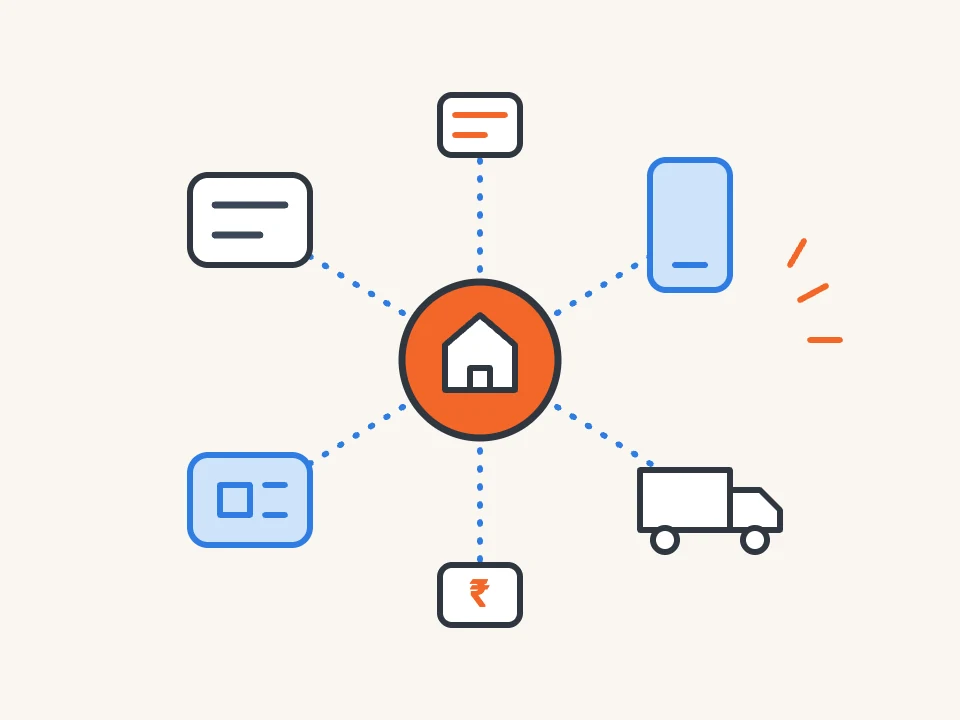
ONDC for sellers works like this: you do not list on ONDC directly. You sign up with a seller app, which puts your catalogue on the Open Network for Digital Commerce, and customers can then find and order your products through the buyer apps connected to the network. ONDC is an initiative of the Government of India’s Department for Promotion of Industry and Internal Trade (DPIIT), run as a Section 8 company, and it describes itself as “not an app, not a platform”. It is worth joining if your category is active on the network and a seller app can handle your catalogue, delivery and payouts at a cost that leaves you a margin. It is not a replacement for your own website or your existing sales channels.
This guide explains how the network works, how a seller joins, what it costs, how payments and complaints are handled, and when it is worth the effort.
Last reviewed: 16 November 2026. Based on ONDC’s own pages; links and dates are at the end.
What is ONDC?
According to ONDC’s own timeline, DPIIT set up an advisory council in June 2021 to shape an open network for digital commerce, and ONDC was registered as a Section 8 company in December 2021. Its founding members were the Quality Council of India and Protean eGov Technologies Limited. The first order on the network was a bunch of coriander delivered in Bengaluru on 29 April 2022.
The network has grown well beyond shopping. ONDC’s pages cover retail, food, logistics, metro and bus tickets, tourism, credit and investments. Its timeline records 500 million transactions on 25 July 2026, and its home page says more than 250,000 sellers are participating.
A marketplace works differently. On a marketplace, one company runs the app, the catalogue, the checkout and the rules. On ONDC, many buyer apps and many seller apps connect to a shared network, so a product listed through one seller app can be found from any buyer app active in that category.
How does ONDC work for sellers?
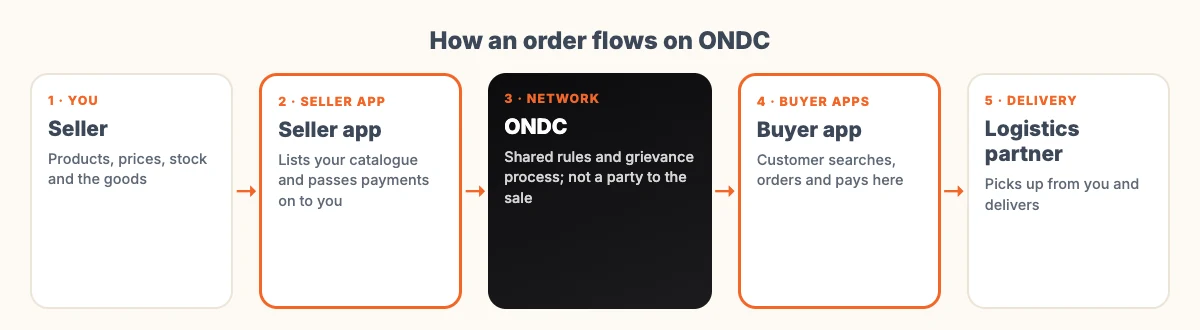
Five parties are usually involved in an order. Knowing who does what tells you whom to ask when something goes wrong.
| Who | What they do |
|---|---|
| You, the seller | Supply the products, prices, stock and the actual goods |
| Seller app (Seller Network Participant) | Connects you to the network, digitises your catalogue, passes payments on to you, and trains you on good ecommerce practice |
| Buyer app (Buyer Network Participant) | The app the customer shops on; handles search, cart, checkout, customer support and complaints |
| Logistics partner | Picks up and delivers the order; ONDC lists more than 50 logistics partners live on the network as of June 2026 |
| ONDC | Runs the network, its rules and the grievance process; it says it is not a party to any transaction and does not act as a marketplace, merchant, payment aggregator or payment gateway |
ONDC defines two kinds of seller app. A Marketplace Seller Node (MSN) does not make its own products and brings many sellers onto the network. An Inventory Seller Node (ISN) is run by a seller who makes and sells its own inventory. A small business without its own app joins through an MSN. A brand with its own technology team can choose to become an ISN.
How to join ONDC as a seller
- Check that your category is active. ONDC’s pages list the sectors on the network, and its buyer app directory groups apps by what you can buy through them.
- Choose a seller app. ONDC publishes a list of network participants with their roles and categories, with a note that it is for information only and that ONDC does not endorse any participant. Compare two or three that serve your category.
- Sign up and share your business details. The seller app sets its own onboarding requirements, so ask for its document list before you start.
- Build your catalogue. The seller app digitises it, but you supply the product names, photos, prices, sizes and stock. Clear, complete listings matter because buyer apps search the network on this data.
- Agree how delivery and payouts work. Ask which logistics partners the seller app uses, who pays for returns, and on what schedule money reaches your bank.
- Go live and watch the first orders closely, especially cancellations and complaints.
ONDC also runs DigiReady, a digital readiness certification for sellers built with the Quality Council of India, and an ONDC Academy for network participants. Both are listed on its resources page.
What does selling on ONDC cost?
We could not find a seller fee published on ondc.org. In practice, what you pay depends on your seller app: its own commission or subscription, logistics charges, payment charges and anything it bills for cataloguing or support. ONDC’s home page talks about “lower participation costs” for sellers, but the actual figures sit in your contract with the seller app.
So treat the seller app like any other sales partner, and get its charges in writing before you sign.
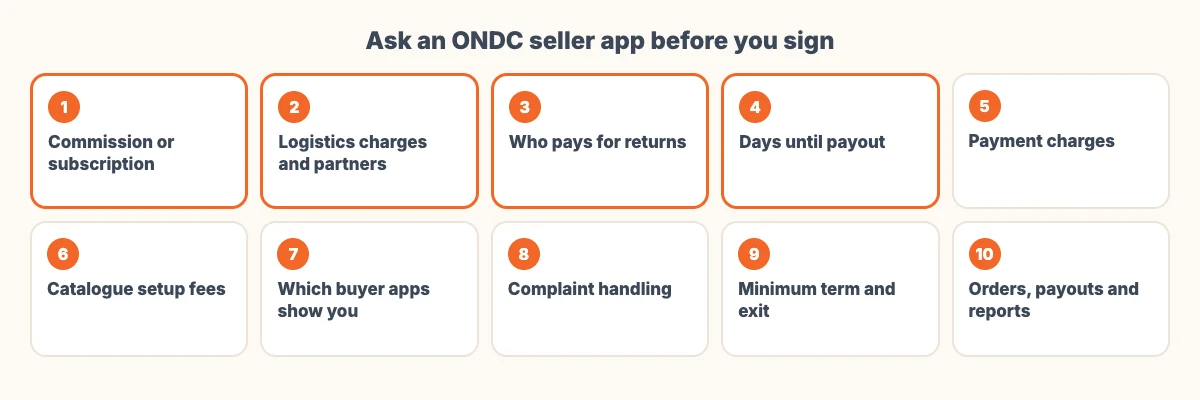
- What is your commission or subscription, and is it the same for every category?
- What are the logistics charges, and which delivery partners do you use?
- Who pays when an order is returned or cancelled?
- How many days after delivery do I receive my money?
- Are payment charges deducted separately?
- Do you charge for setting up or updating my catalogue?
- Through which buyer apps will my products appear?
- How do you handle customer complaints that reach me?
- Is there a minimum term, and how do I leave?
- Where do I see orders, payouts and reports?
For comparison, our guide to payment gateway charges in India explains what accepting payments on your own website costs.
How do payments and settlement work on ONDC?
The customer pays inside the buyer app. ONDC’s Payment Assurance Program page says everyday transactions settle directly between buyer apps and seller apps, and the seller app then passes your share on to you. That is why your payout schedule is set by your seller app, not by ONDC.
When a buyer app does not pay a seller app what it owes, the seller app can raise the issue on ONDC’s dispute system, ONDC CARE. The Payment Assurance Program adds a backstop for these cases: buyer apps can choose to place a refundable security deposit, which is used only if a payment dispute is resolved and the buyer app still does not pay. ONDC says the program is voluntary and is currently being rolled out for metro tickets, with other domains possibly added later. For a retail seller today, the practical step is to ask your seller app how it handles late payments from buyer apps.
How are customer complaints handled?
Complaints start with the buyer app. According to ONDC’s complaints page, the buyer app must respond within 48 hours with a ticket number and a promised resolution time, and it coordinates with the seller, the seller app and the delivery partner to fix the issue. ONDC cites the Consumer Protection (E-commerce) Rules, 2020 for a 30-day outer limit on resolution.
A customer can escalate to ONDC if the buyer app does not respond within 48 hours, misses its promised time, or leaves the complaint open for more than 30 days. ONDC publishes the numbers: as of 16 November 2026, 258 complaints had reached it in 2026, of which 255 were resolved.
As a seller, answer seller app queries about a complaint quickly, with photos or proof of dispatch, because the clock is running on the buyer app’s promise to the customer.
Is ONDC worth joining?
| Worth trying if… | Probably not yet if… |
|---|---|
| Your category is active on the network and buyer apps show it | Your category has few or no buyer apps |
| You can keep stock and prices up to date every day | Your stock changes faster than you can update a catalogue |
| A seller app’s total charges still leave you a margin | The charges, added up, take most of your margin |
| You want another channel alongside your shop, website or marketplace | You expect it to replace your main sales channel on its own |
| You can deliver reliably through the seller app’s logistics partners | Your products need delivery the available partners cannot handle |
For most small sellers, the sensible start is small: one seller app, your best-selling products, and a review after a month of orders. Count the orders that came through ONDC, what they cost you, and how many led to complaints or returns.
ONDC and your own website
ONDC adds reach through other companies’ apps. Your own website is the channel where you control the brand, the customer relationship and the data. Many sellers use both, and keeping one product catalogue with clean names, photos and stock makes it easier to feed every channel. Our older comparison of selling on your own website versus third-party sites covers that choice in more detail.
If you want your own store alongside ONDC, our ecommerce website development page explains how a store build is usually scoped, and ecommerce app development covers store apps. Clean product data also helps when software agents start shopping on customers’ behalf, as we explain in agentic commerce explained.
Frequently asked questions
Can a seller join ONDC directly?
Not as a seller on its own. Sellers join through a seller app, called a Seller Network Participant, which connects them to the network. A seller that makes its own products and has its own technology can become an Inventory Seller Node, which is its own seller app.
Does ONDC charge sellers a fee?
We could not find a seller fee published on ondc.org. Your costs come from your seller app, which sets its own commission or subscription, plus logistics and payment charges. Ask for all of them in writing before you sign.
Which apps can customers use to buy from ONDC sellers?
ONDC lists buyer apps on its website, grouped by category. Its shopping list includes Bajaj Markets, DigiHaat, Hamaramall, Mystore, Oneindiamall, Snapdeal and Zilibuy, and other apps cover food, mobility, travel and financial services.
Who handles delivery on ONDC?
Logistics partners on the network pick up and deliver orders, usually arranged through your seller app. ONDC’s timeline lists more than 50 logistics partners live as of June 2026, including more than 30 small fleet operators.
How long does a buyer app have to resolve an ONDC complaint?
The buyer app must respond within 48 hours with a ticket number and a promised resolution time. ONDC cites the Consumer Protection (E-commerce) Rules, 2020 for a 30-day outer limit, and customers can escalate to ONDC if either limit is missed.
Sources
- ONDC, About us and network timeline (checked 16 November 2026)
- ONDC, Seller Network Participant (MSN and ISN)
- ONDC, Network participants list
- ONDC, How to shop and buyer apps
- ONDC, Complaints and grievance status (updated 16 November 2026)
- ONDC, Payment Assurance Program
- ONDC, Resources, DigiReady and newsletters